
More on TaskForge
I tweaked settings to create new tasks in my daily notes.

A very short update to Folio 2026.2: Incorporating TaskForge. I tweaked the settings in TaskForge so that clicking on the new task button leads to creating a new task in the day’s daily note. Here’s the settings:
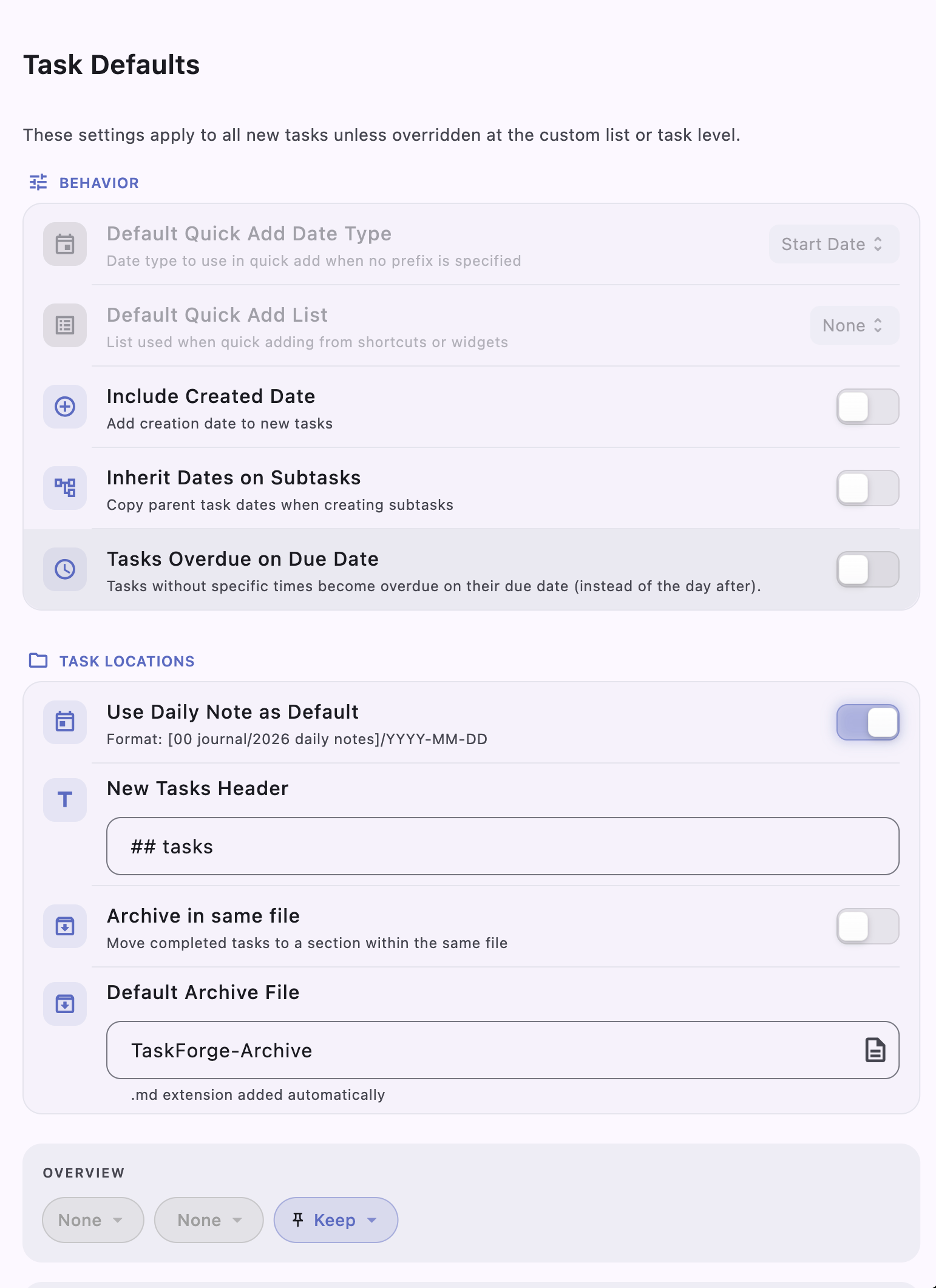
I toggled Use Daily Note as Default, and employed the (non-standard) format [00 journal/2026 daily notes]/YYYY-MM-DD to point to the daily note. I directed TaskForge to place new tasks in a second-level header ## tasks. I didn’t toggle on Archive in same File or Default Archive File because I want tasks to stay in the tasks section once completed.
Now, when I click on the new task button, I see this:
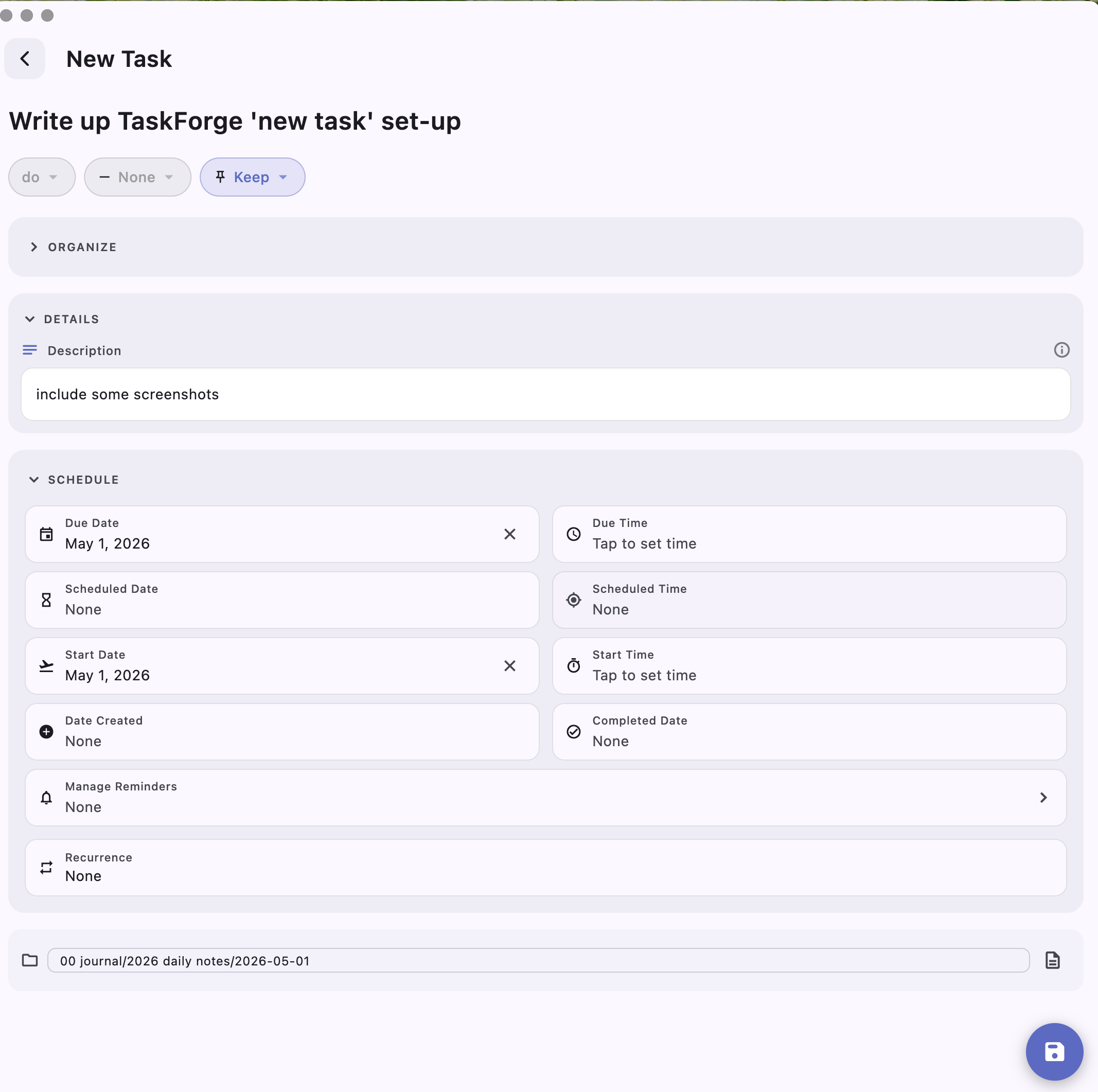
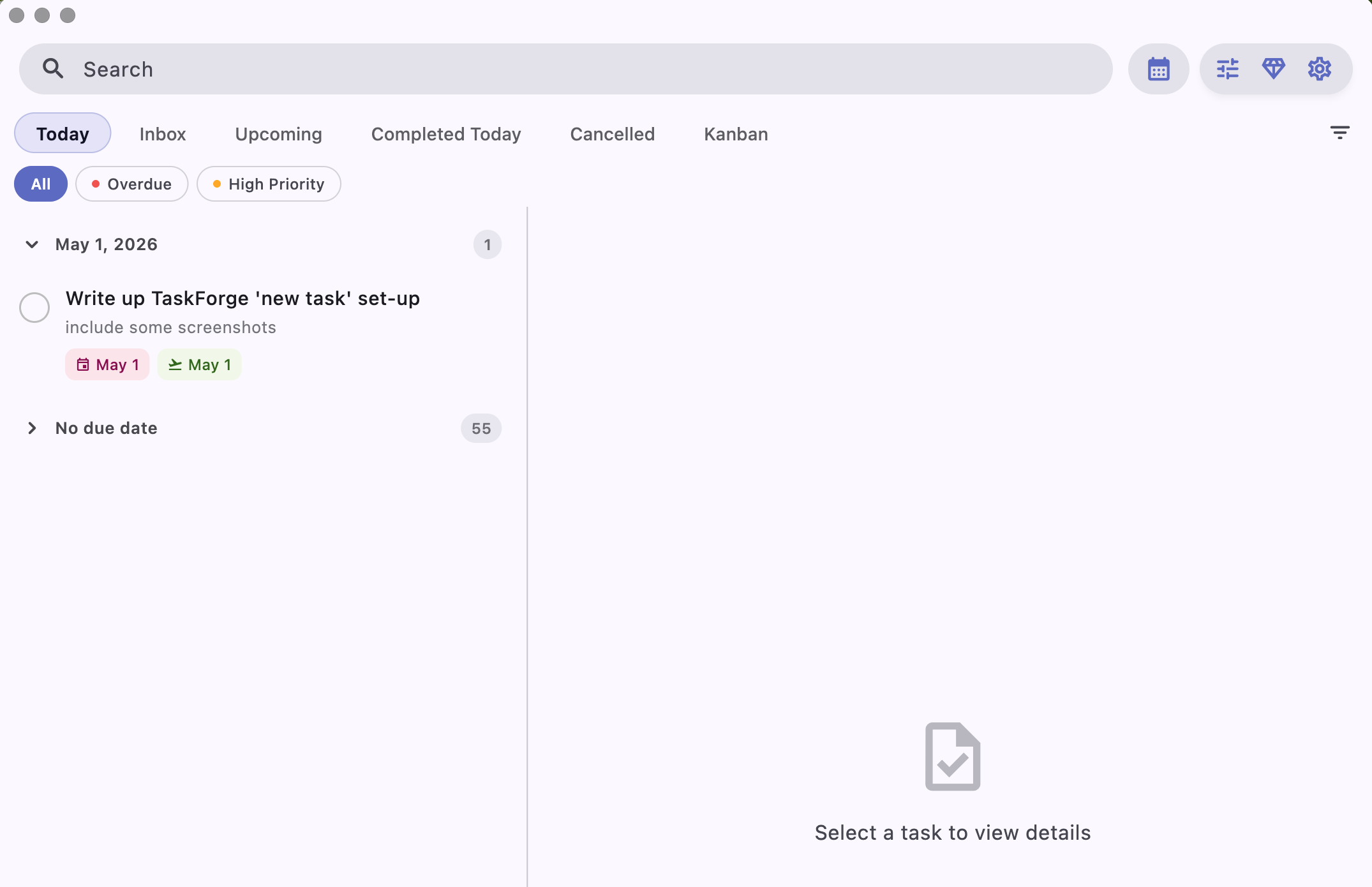
Note that I set a due date, so the task shows up on the Today list in TF:
And it shows up in my daily note:

Some Downsides
Because I am creating the task outside of Obsidian, I can’t take advantage of other Obsidian capabilities. For example, I can’t use the Reminders plugin calendar unless I do so in Obsidian, later. Likewise, if I were to include a file reference, the Obsidian file picker isn’t natively supported by TaskForge, so I would have to type it correctly.1
These aren’t show-stoppers, but it means I am not likely to create sophisticated tasks in TF, and rely on it more for browsing existing tasks, as I discussed at length in Folio 2026.2: Incorporating TaskForge.
That would be a great addition to TaskForge, I think.