
Addendum to Folio 2026.1: Filtering Complexity
I overlooked a feature of Task List Kanban that I am now reliant on.

In my post recent post here on Workings.co — Folio 2026.1 — I provided a fairly in depth overview of how I use Obsidian, at the start of 2026, writing
This post provides a high-level overview of Folio 2026.1 and outlines how I plan to report on future changes to the system. I am sure there will soon be a Folio 2026.2, so don’t get too settled on the particulars. However, I will try to make clear which elements of Folio are stable and unlikely to change much (such as the Folio knowledge base) and which are changeable (such as plugins).
This is an addendum to that post. I am not updating to 2026.2, but just filling in a set of details that might help anyone trying to understand or use Folio. In that recent post, I touched briefly on the Task List Kanban plugin. However, I did not get into some important features of that plugin, specifically with regards to filtering, which turns out to be essential to my workflow.
Several of my on-going projects are massive. For example, there are currently 8060 tasks pulled into the workfutures.io msmd project by the plugin, across all the files in my vault. msmd stands for must, should, might, didnt1, a priorization scheme. At any given time, I want to scale down that list to a comprehensible size. For that reason, I am making use of several affordances of the Task List Kanban plugin.
The first — and essential — affordance is the association of task tags with kanban columns:
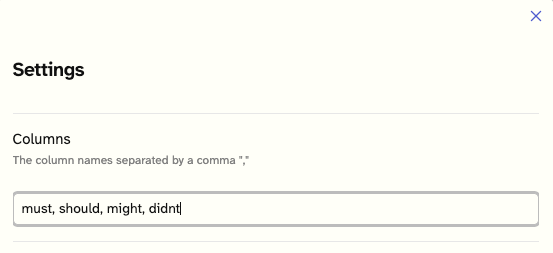
Whenever I create tasks, I assign a tag to the task from this set of priorities:

Note that this task is also tagged #AI and #feb26.
In the filters section of the workfutures.io msmd kanban, I can filter in various ways. First, I select from all tasks across the vault by filtering on the task marker, [[•workfutures.io]]. Then I can filter on tags, such as #AI. Those are shown in the filters section on the upper left.
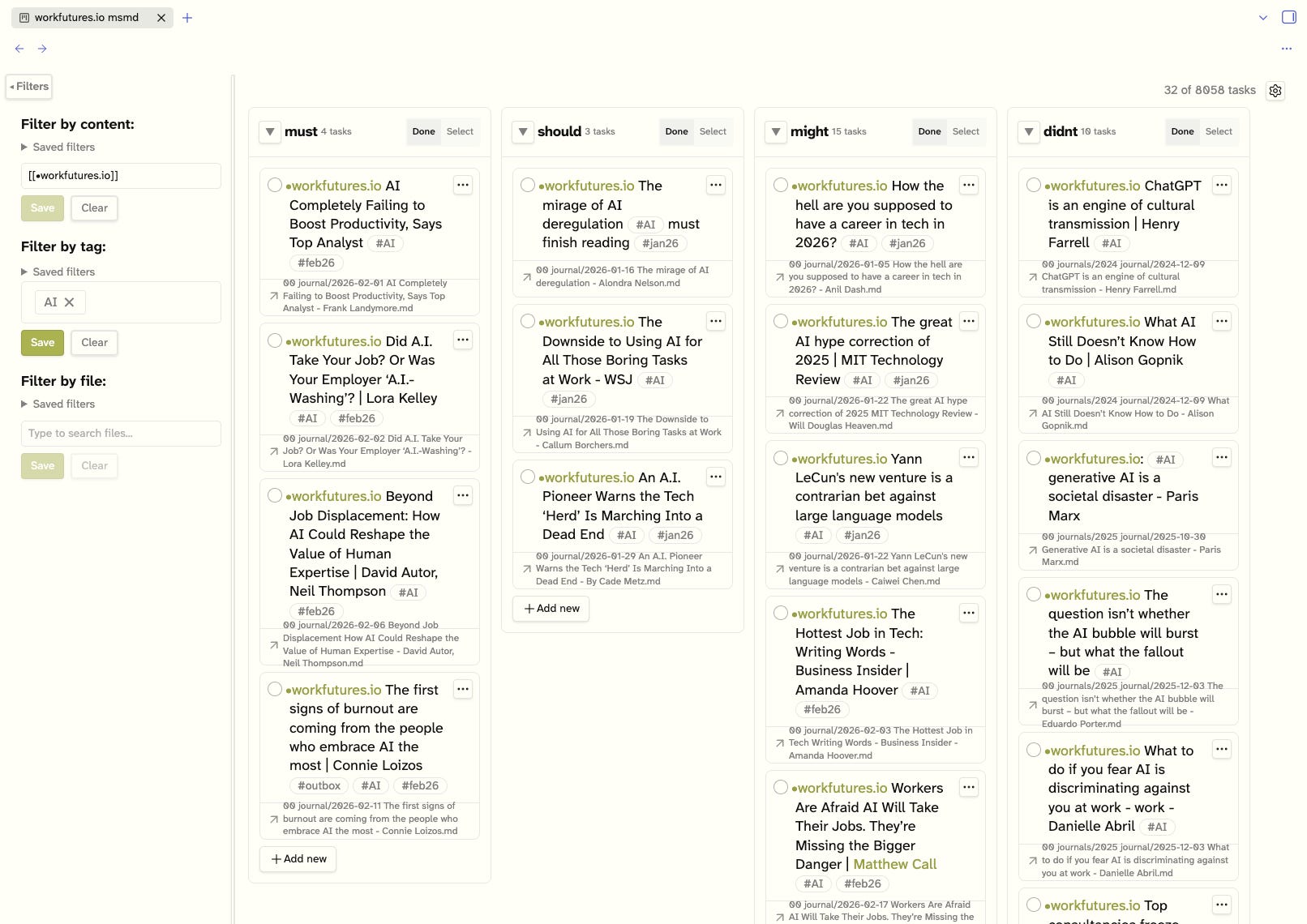
So instead of drowning on 8060 tasks, I can filter down to 30 or tasks in the project, those tagged #AI. And because the tag filter capability allows for multiple tags, I could select #AI, #jan26, #feb26, and #mar26, looking for tasks created in the past three months on #AI.
I can also use the must, should, might, didnt tags in a different kanban, as filters. Here’s the workfutures.io tlk kanban, showing just tasks tagged #must:
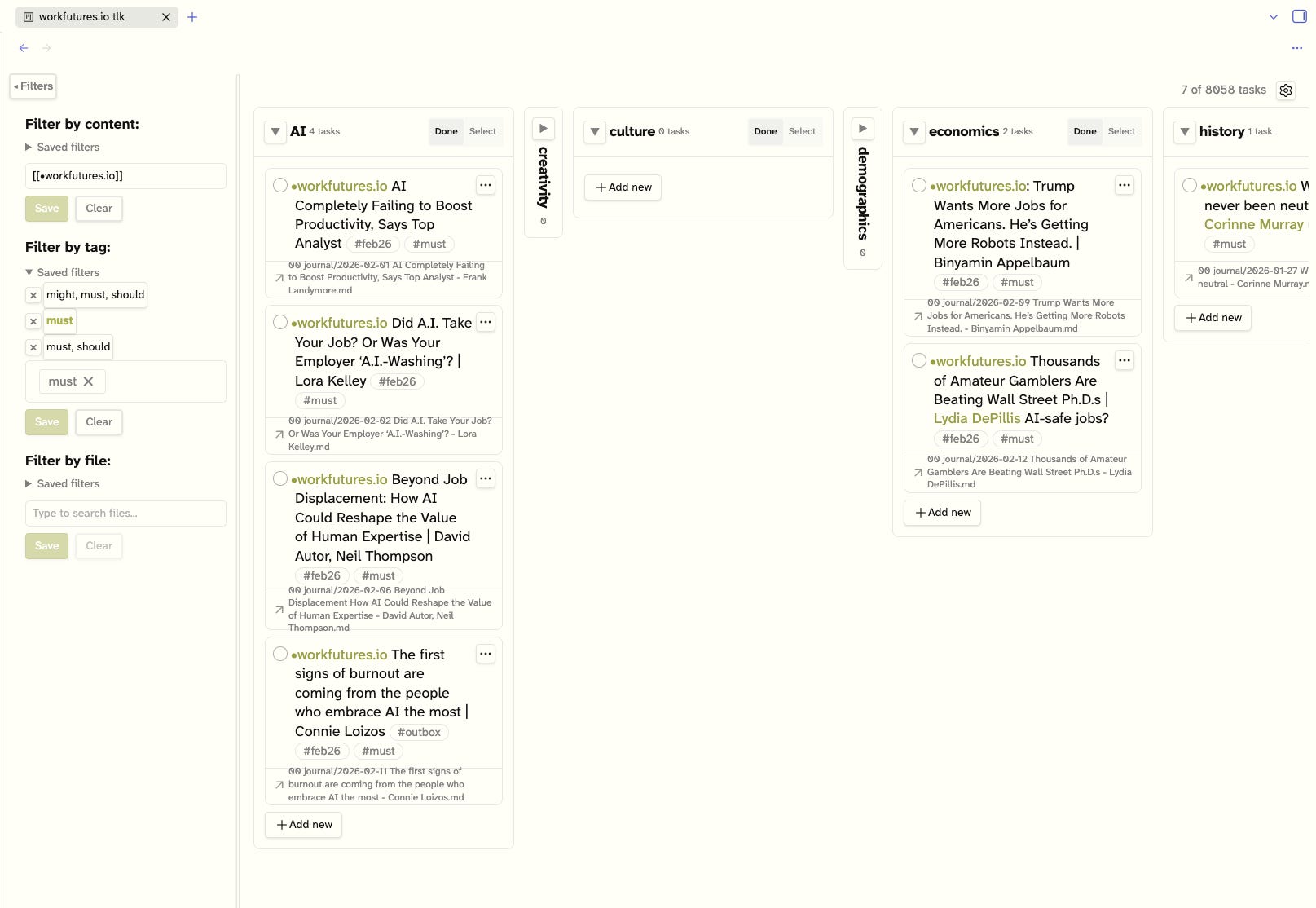
And, I can open these complemntary kanbans in a split screen to look at the two different schems at the same time.
Some Limitations
There are some limitations to Task List Kanban.
One, it’s not possible to filter for multiple content elements at once. For example, I can’t filter for [[•workfutures.io]] and burnout at the same time, unless I explicitly create a tag, #burnout. (Since I don’t use tags in Obsidian, generally, I don’t want to go down that path. In general, I would prefer to use other elements of the Folio knowledge base, such as [[+burnout]], and reserve the use of tags to the Task List Kanban plugin.)
Another limitation is that the Task List Kanban files are constructed in a non-standard way, and the elements are not addressable as are Obsidian markdown files. So, I cannot transclude all or part of a Task List Kanban into another markdown file. This means that I can’t, for example, bring together all of the tasks marked #AI and #must into a single markdown file, and annotate it.
…
At some point in the near future, Obsidian Bases will likely support kanban views and I may at that point make a transition away from the Task List Kanban plugin. And that might be Folio 2026.2.
#didnt might better be called #maybe. I may change it.