
Folio 2026.1
Sharing the structure of how I Obsidian, in early 2026


…
One never notices what has been done; one can see only what remains to be done.
| Marie Curie
…
Curie ‘was the first woman to win a Nobel Prize, the first person to win a Nobel Prize twice, and the only person to win a Nobel Prize in two different scientific fields [Wikipedia], so, we should pay attention to what she says, generally.
However, she did her Nobel-winning work in the early 1900s, and had no access to computers.
One underlying principle of the Folio system of notetaking in Obsidian (which I verbified1 in this post’s subtitle: 'to Obsidian’, meaning ‘to take notes in Obsidian’), is that I really want to be able to ‘notice what has been done’ and not ‘see only what remains to be done’. I want the rich history of my work to be visible to me, bringing it into context as I roam in, across, and through my notes.
About this Post
I’ve been making all sorts of changes to the notetaking system for Obsidian I call Folio. Folio is the outgrowth of notetaking models I’ve been using for years, starting with paper journals in my university days, and continuing for decades since I’ve shifted to digital notetaking. Along the way, I’ve tried dozens of tools, including Evernote, Dropbox Paper, Dynalist, Notion, Typora, and presently Obsidian.
I originally derived Folio from an approach I’d used in Typora, a markdown-based text editor that doesn't support all the more advanced features of Obsidian. At that time, I referred to my system as Taskora since it relied on Typora (see The Taskora Convention (2021)). I first reported on the ideas behind Folio in 2024, after I moved to Obsidian. Here’s an early reference — Folio: How Notetaking Becomes Knowledge — but please don’t click away! Folio 2026.1 is dramatically different from what might be considered, in retrospect, Folio 2024.1.
This post provides a high-level overview of Folio 2026.1 and outlines how I plan to report on future changes to the system. I am sure there will soon be a Folio 2026.2, so don’t get too settled on the particulars. However, I will try to make clear which elements of Folio are stable and unlikely to change much (such as the Folio knowledge base) and which are changeable (such as plugins).
Also, in early 2025 I changed the name of Folio to Portfolio (for reasons that no longer make sense), and I am returning to the earlier Folio2 as its name.
The five sections of this post are these:
Folio Fundamentals — core elements of Folio, like file naming, folder conventions, journaling, and annotation.
Knowledge Management — How I organize information in Folio to support a ‘knowledge base’, and the plugins I rely on for that
Task Management — How I use Obsidian tasks and some plugins to get things done.
And a few conclusions and thoughts about the future of Folio.
…
Folio Fundamentals
Folio is a system for notetaking and the core fundamentals are based on Obsidian’s version of markdown, and related capabilities, such as wikilinks, the platform’s plugin architecture, and conventions like daily notes.
File Naming
I timestamp nearly all files in my Obsidian vault. Daily notes are just the date — 2026-03-14 — for example, while an imported article takes the form {{date}} {{title}} - {{author}}, like 2026-03-06 The A.I. Labor Crisis Is Coming. This Is the Solution. - Gina Raimondo. Other file types have their own naming conventions, but they mostly use a date as a prefix.
Folder Conventions
My folder convention relies on a small list of folders:
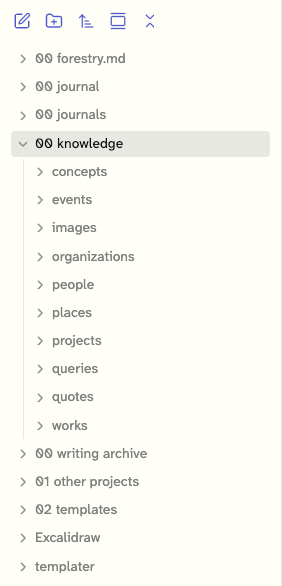
00 Forestry.mdis a folder with information for my digital garden, where I publish some of the files in by vault to the open web at stoweboyd.forestry.md.00 journalin the folder for the current year’s daily and weekly notes.00 journalscontains journals from previous years, like2025 journa1.00 knowledgecontains the elements of my knowledge base, described in detail, in knowledge management, below00 writing archiveholds materials I’ve written, like articles, essays, and presentations. I also have archived others’ poetry and recipes there.01 other projectsis a graveyard for projects I’ve abandoned, or completed.02 templatesholds current and out-of-date templates for Obsidian, such as ‘daily note template`. Note these are NOT timestamped3.
Journaling
I base my notetaking practice on interstitial journaling, where I add entries to the day’s daily note throughout the day, many of which link to other notes, such as imported materials from the web, usually via the Obsidian Web Clipper, and an occasional PDF.
In recent months, my journaling has relied on an experimental plugin called moments, which I described in a recent post. Basically, moments looks at a daily note as a series of moments, each introduced by an h3 header with date and time stamps4.
Here’s a section of the daily note from February 7 with three moments shown:
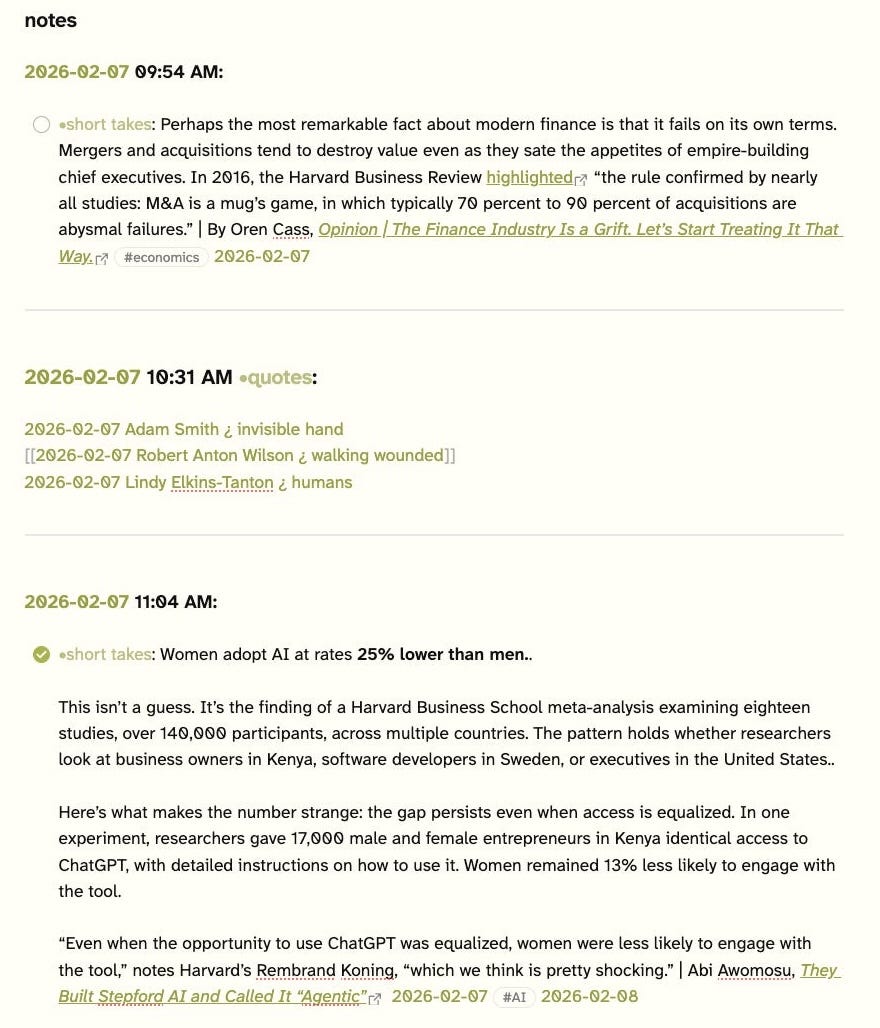
I will leave the explanation of the contents of these moments — like the tasks and the •quotes and •short takes projects to later sections.
The moments sidebar lists the moments in the currently active note, including so-called ‘implicit’ moments, like creating or updating files, which is one of the most powerful reasons for using the plugin. I am focusing on the implicit moments, here, showing files updated or created March 13, at the bottom of the sidebar:
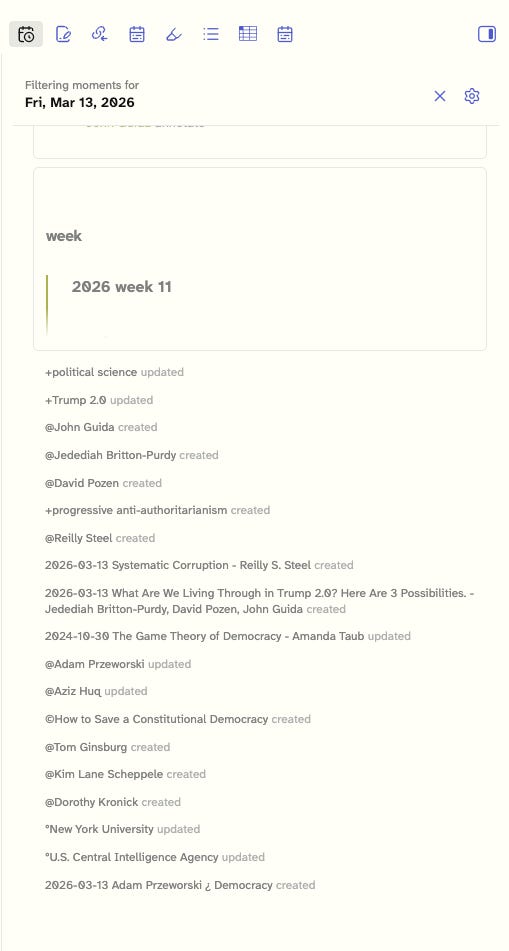
That list of created and updated files was the result of rereading The Game Theory of Democracy, and What We Are Living Through in Trump 2.0, and adding or updating a number of file references while annotating the files.
Annotations
My approach to annotation is primarily focused on imported articles. When I import an article from the web, I highlight important sections, create footnotes commenting on the article's arguments and conclusions, very commonly convert references to people, works (like books, and other articles), and organizations into links to taxonomic elements of my Folio knowledge base.
Here is a section of such an article, showing those annotations:
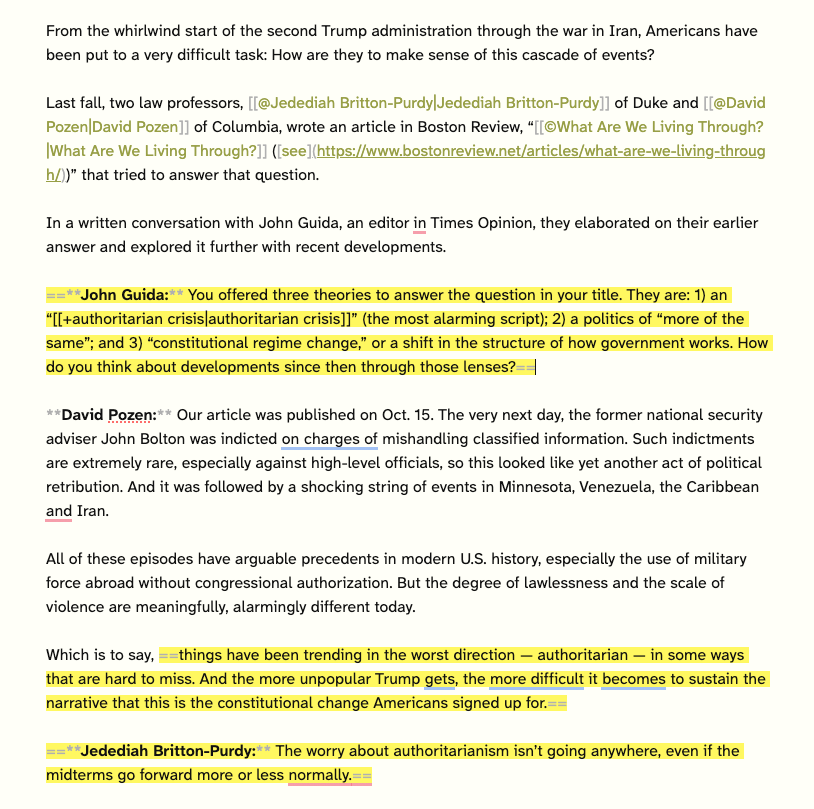
Note the first annotations, one each for Jedediah Britton-Purdy and David Pozen, which link them to their respective entries in the Folio ‘people’ folder (note the use of @). The link to their referenced article is marked as a work in the Folio ‘works’ folder. I will detail these ideas in the next section.
Knowledge Management
I have defined the Folio knowledge base as a collection of folders, each of which contains certain files that are marked with a special character in the file name, usually the first letter:
Folio can be thought of as a knowledge base, and in my case, I have structured my Obsidian instance explicitly as a system for knowledge management. I use various conventions to distinguish between references to different types of knowledge:
people (like
@Albert Einstein,@Brian Eno, and@Joy Harjo),concepts (like
+workslop,+economics, and+time is a flat circle),organizations (like
ºWorld Economic Forum,ºTrader Joes, andºSocial Security Administration),places (like
~France,~Washington DC, and~Rust Belt), andprojects (like
•workfutures.io,how to use time,•decision making, andstoweboyd.io).
I use the Auto Note Mover plugin to automate placing files of each sort in their respective folders
The files in the knowledge base can refer to each other, as with this example, the @Tom Ginsburg:
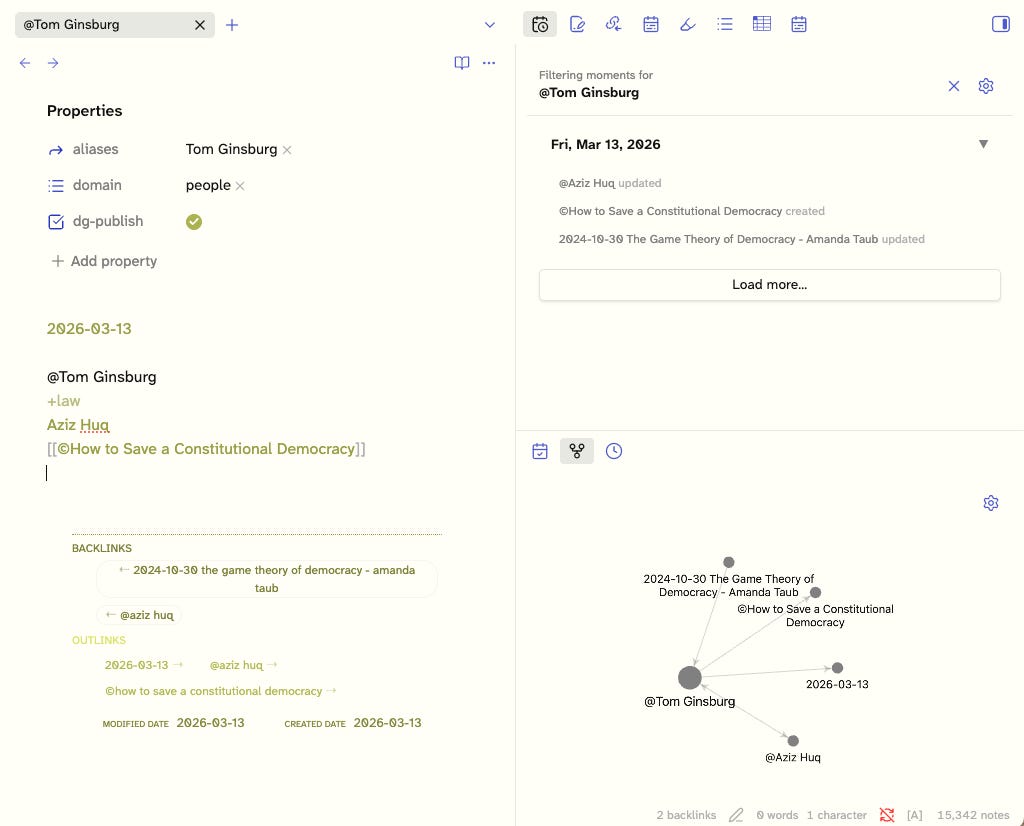
Note the Moments sidebar at the upper right, and the Obsidian graph at the lower right, which shows the relationships between the files. These can be traversed by clicking on a file name. Likewise, the backlinks and outlinks at the bottom left are provided by the Rich Foot plugin.
Task Management
Much of what is going on in Folio is task management. For example, the templates I use in Obsidian Web Clipper to import web materials generally include a task that defines what project — or projects — the import is for. An example:
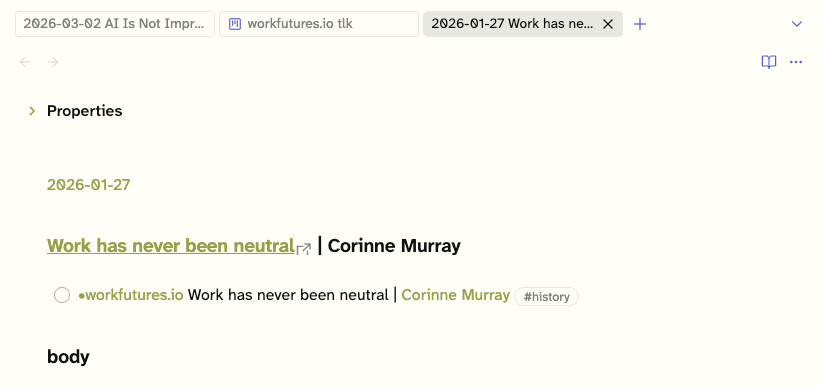
The task includes a project marker ([[•workfutures.io]]) and a tag (#history) used by the Task List Kanban plugin (which I wrote about here) to determine which column the task should be in:
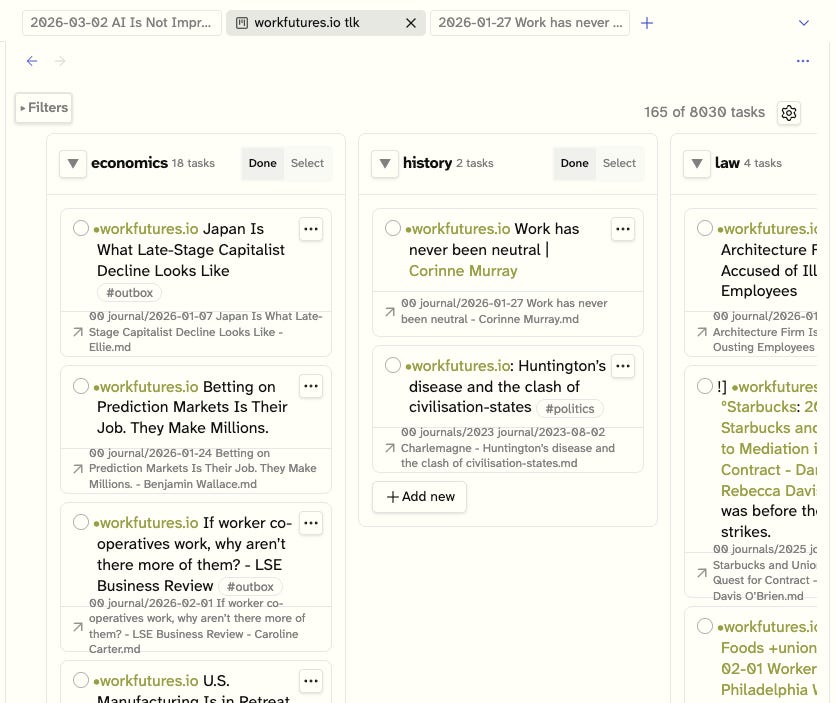
The [[•workfutures.io]] project is the largest and broadest of my projects, with many columns. Here you see the Corrine Murray article, at the head of the history column. Note I don’t use tags in Obsidian except for the project marker, which is required by the Task List Kanban plugin.
The Future of Folio
At some point, the core Bases plugin is likely to support Kanban views, and I will attempt to transition to that as a replacement for the Task List Kanban plugin. The newest addition to Folio is a digital garden capability (see stoweboyd.forestry.md) allowing me to publish parts of my Obsidian vault to the web. This is a work in progress, and I will write about that soon.
