
Folio 2026.2: Incorporating TaskForge
A deep dive into incorporating TaskForge into my Obsidian notetaking method, Folio.


Writing it down is the beginning of every reliable system.
| Steven Thompson, 2026-01-20 Make it Physical (GTD)
My most recent posts here were Folio 2026.1, and Addendum to Folio 2026.1: Filtering Complexity, which summarized the system I use to manage my workings in Obsidian. I use the term ‘workings’ very intentionally. I am, at least in the recent months and year, avoiding ‘second brain’ and other lofty terminology regarding notetaking. The most I am willing to veer away from quotidian ‘notetaking’ is bicycles for the mind:
I am sidestepping various terms like ‘second brain’ or ‘tools for thought’ — they seem a bit grandiose — but I am influenced by the finding that human-powered bicycles are the most efficient machine ever created. Converting human calories into the gas equivalent, a human-powered bicycle gets the equivalent of three thousand miles per gallon. A bicycle’s motive force — its motor — is the human on the seat, pedaling. The bicycle itself does nothing until the rider’s foot hits the pedal.
Still, although it’s ‘just’ notetaking, thinking about how to take notes and use the information in them, is still worth talking about.
…
This year, I have started numbering versions of the Folio system, and a new addition — the TaskForge application — more than justifies a new version.
Before you wonder if I have replaced Obsidian, I haven’t. TaskForge is a native Mac OS application that indexes and modifies Obsidian tasks, and in that regard, it is more-or-less a replacement for the Task List Kanban plugin that I was formerly using. (For more on TaskList Kanban, see Folio 2026.1, Addendum to Folio 2026.1: Filtering Complexity, and First Look: Task List Kanban). Most of the remainder of Folio 2026.1 remains largely as it was, aside from TaskForge-specific tweaks.
TaskForge
TaskForge (TF) is, as I said, an independent application for Mac OS, iPad, iPhone, and Android. (I have, so far, only used the Mac OS app). It’s independent — meaning it’s not a product of Obsidian or just a plugin. However, it is tightly connected to Obsidian’s file vault, from which it pulls and manipulates Obsidian tasks.
Here’s a screenshot of a Kanban view in which I am filtering tasks from the [[•workfutures.io]] project (see here for a description of Folio task management).
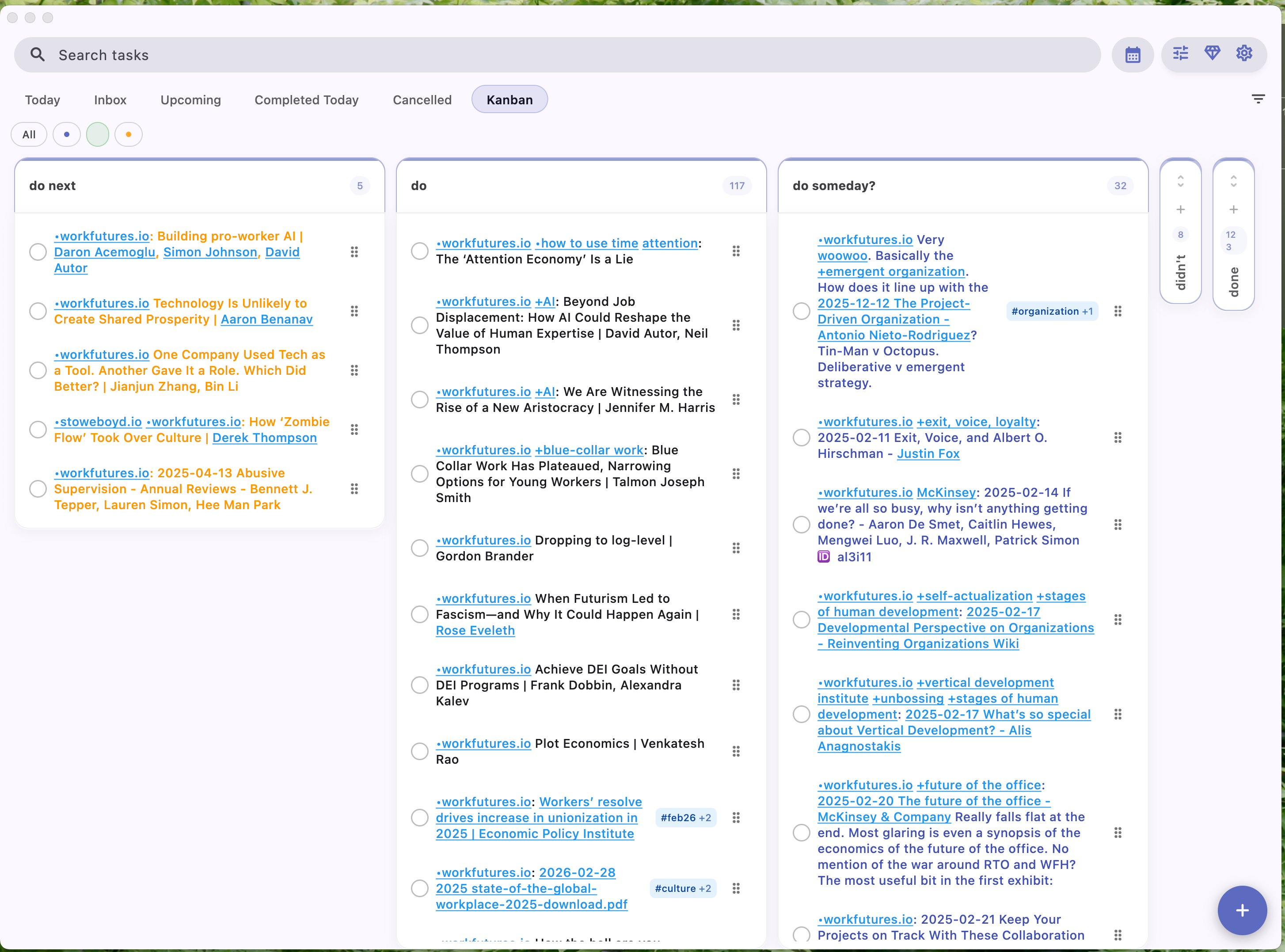
[[•workfutures]]I have defined various column headings in this Kanban: do next, do, do someday?, don’t, and done. Unlike Task List Kanban, however, I am not using tags on the tasks to define these states. Instead, among other alternatives, TF allows me to line up these columns with task states:
- [!]fordo next- [ ]fordo- [?]fordo someday- [-]fordidn’t- [x]fordone.
There are other task status available but I find these enough for my purposes, generally
When I click on a given task, I am taken to an individual task detail screen:
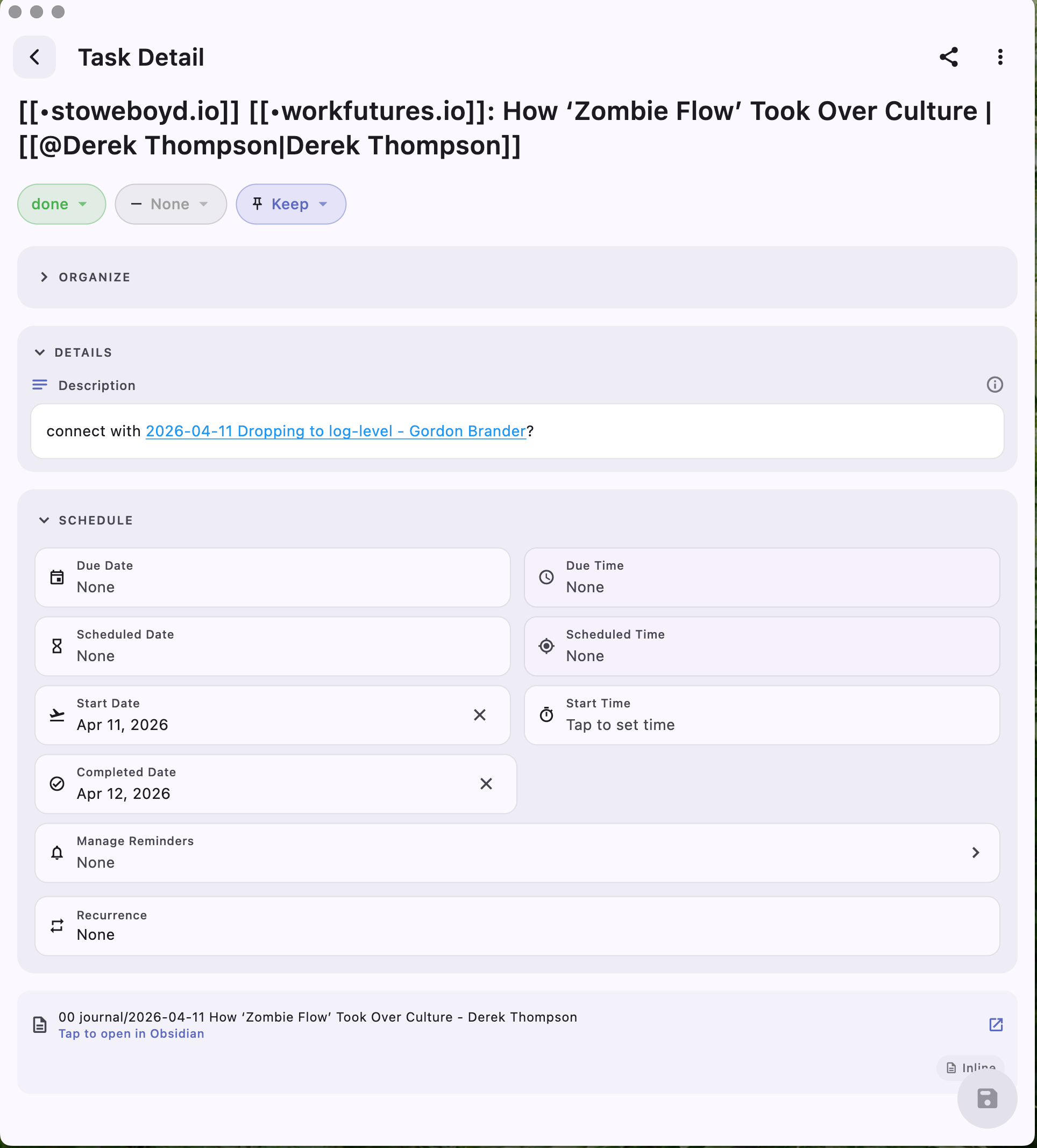
The task title is at the top, and various buttons immediately below allow me to
change task state (from
donetodo someday?, for example, which can also be accomplished by dragging and dropping in the Kanban itself)assign a priority (which I am not using at present in Folio)
assign an action to take on completion of the task (I opt in all cases — so far — in keeping the task, and not archiving or deleting it, the two other options).
The description field provides a new affordance for Folio. The line following the task definition in the corresponding Obsidian .md file is kept in sync with this field. Here’s a screenshot of that task in the heading section of the Obsidian file:
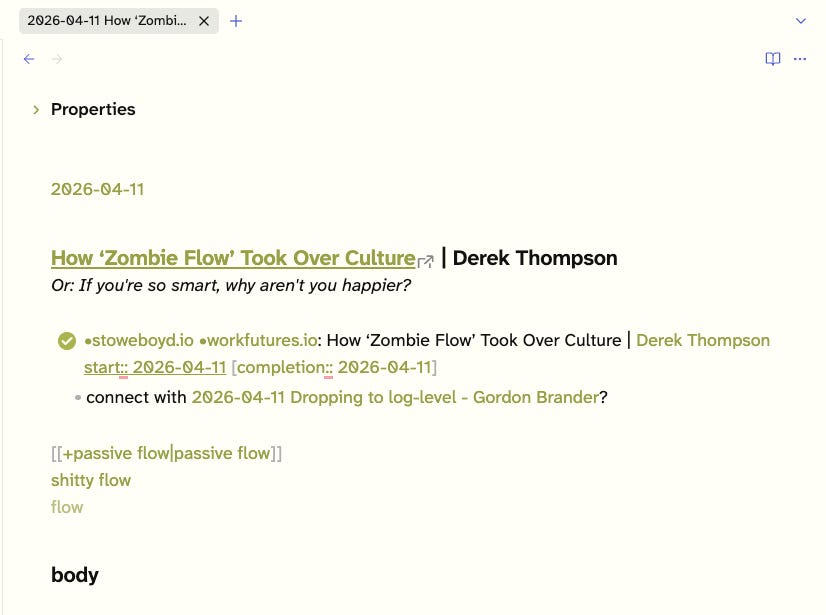
As I have discussed in earlier Folio posts, I rely on the Obsidian Official Web clipper to incorporate articles this this one, by Derek Thompson, and I’ve tweaked the templates in that browser plugin to match up with TF conventions. For example, here’s the template for an article for [[•workfutures]] project inclusion:
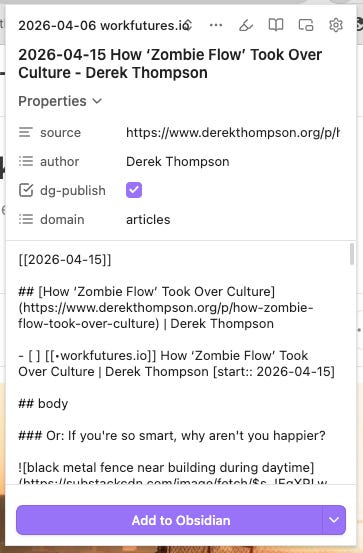
Most importantly, I have the template assign the metadata field — [start:: 2026-04-15] — which I used to sort tasks in the TF Kanban. I will show the set-up for that later.
Changing the values of any of the fields in a TF task definition update the corresponding task elements.
I haven’t mentioned the organize section of the task definition because so far I have’t fooled with them.
TaskForge set-up primer
As I explained, I haven’t explored all the features of TaskForge, so I can’t explain every option or tweak. I will move lightly over what I have done to make it usable for me, this far.
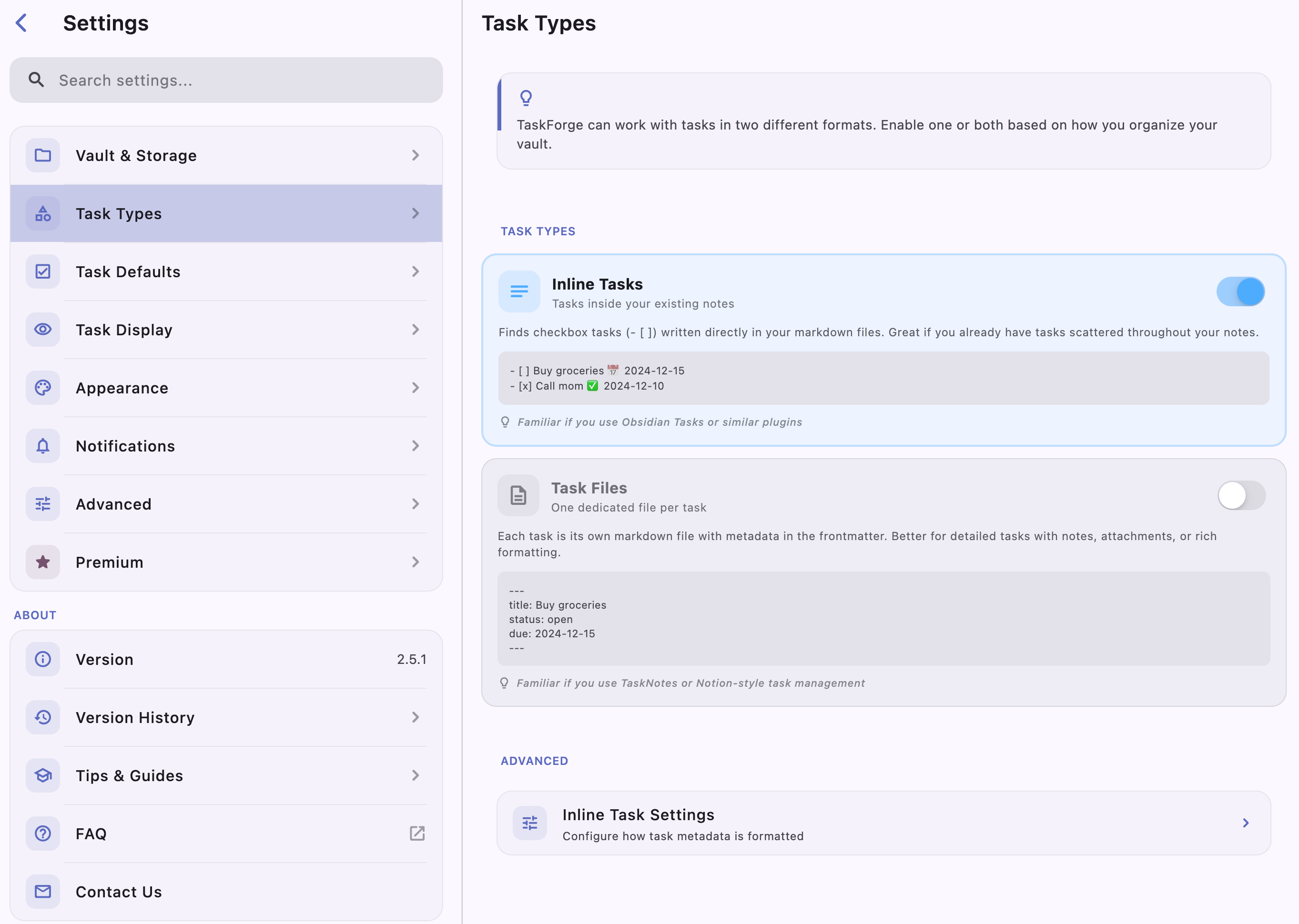
Task Types
I am relying solely on inline tasks — that means the default Obsidian markdown tasks. I am avoiding Task Files, which I haven’t used before, and would likely not line up with my style of task specification.
Lists
TaskForge is designed around lists of tasks. Notably, default lists for various categories of tasks — like Today, Inbox, Upcoming, and Completed — and a Kanban that aggregates all tasks with a column dedicated to each task status:
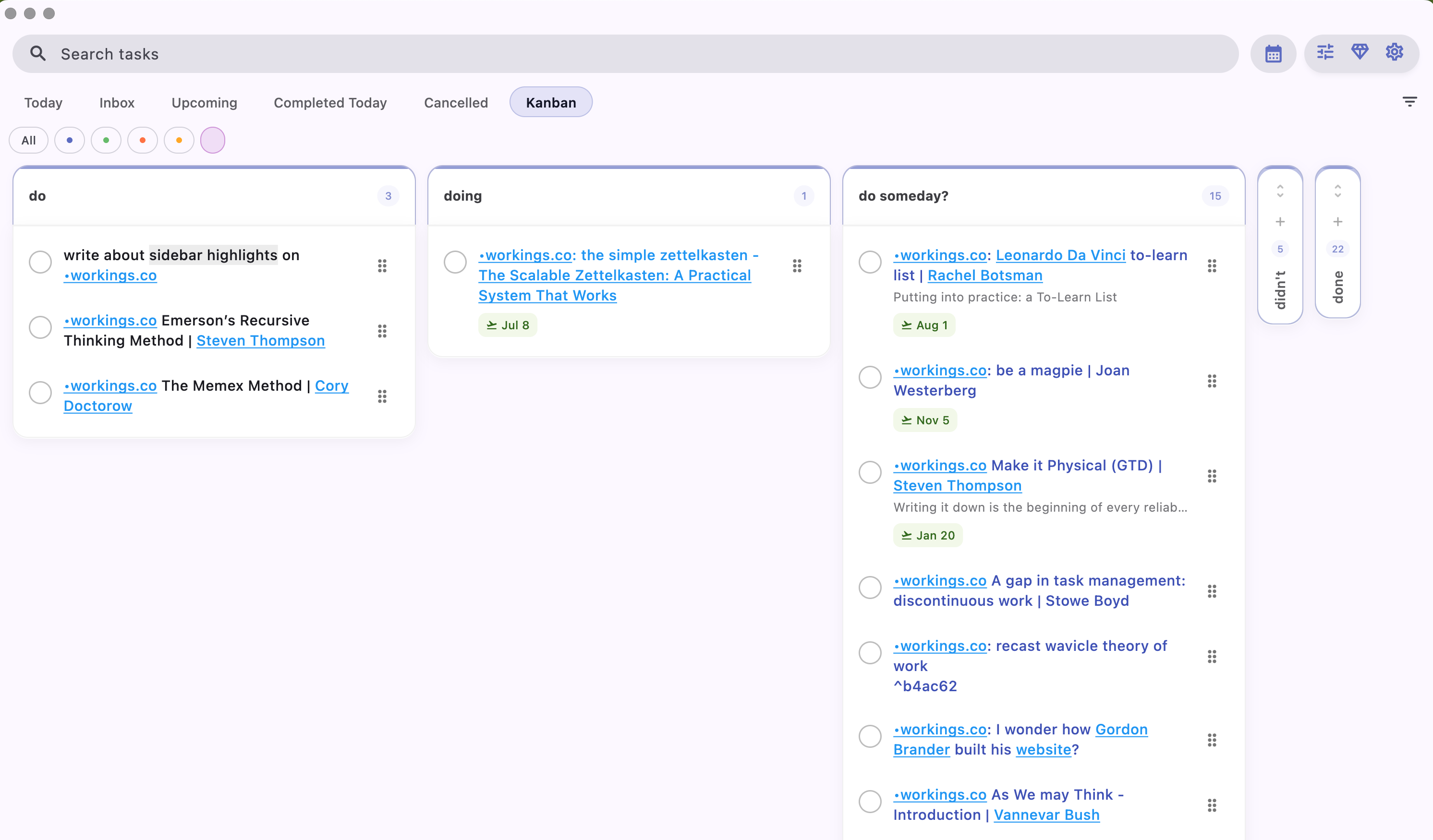
I found looking at all the task in my vault at once was maddening, and since I try to use project markers — like [[•workings.co]] as task metadata — I quickly have gravitated to using project-related filters to segregate tasks. In the example above, I have selected a filter for the [[•workings.co]] project.
Defining those filters was easy. I selected the three line slider at the upper right, and then selected Kanban and Quick Filters:
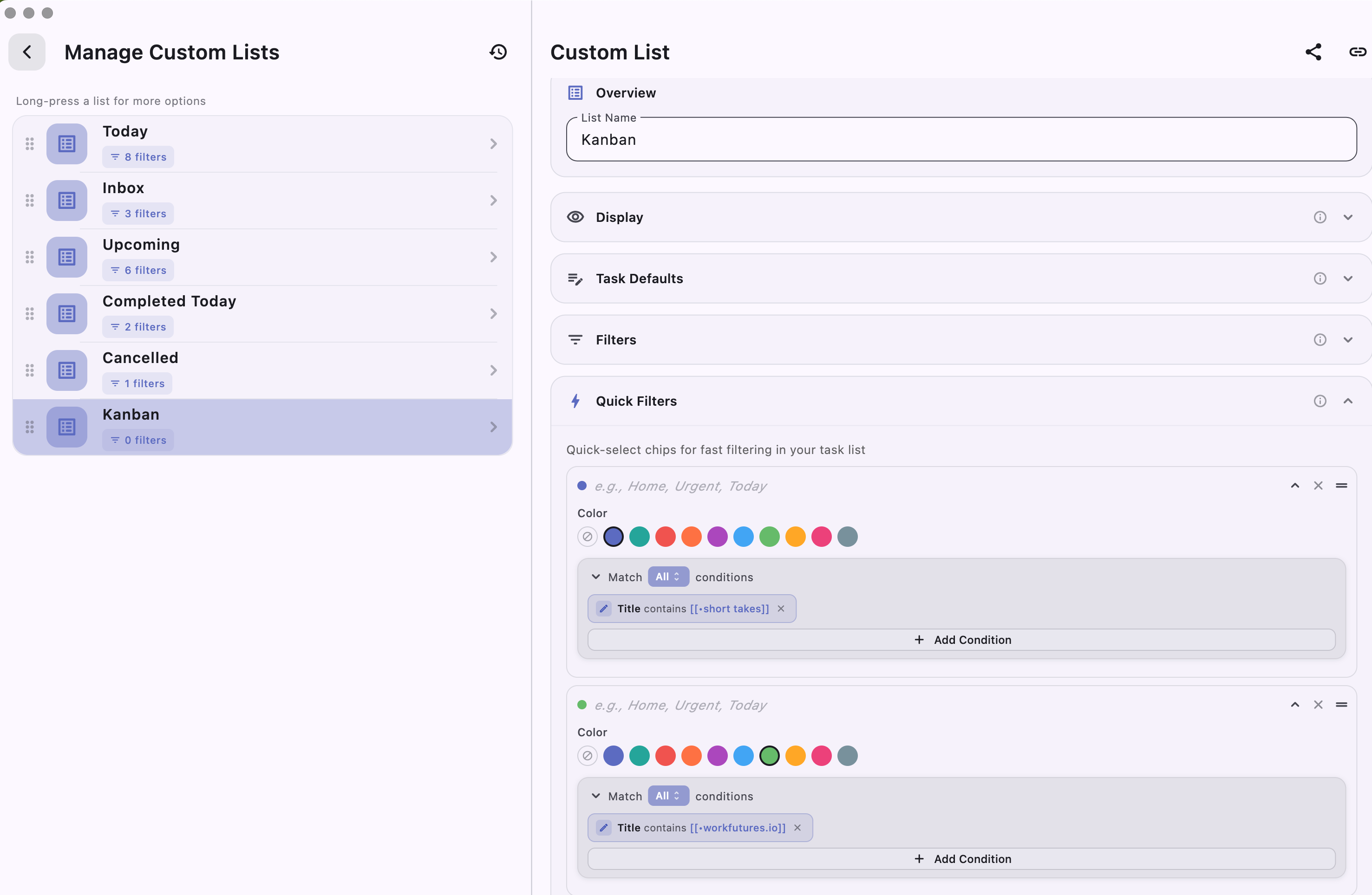
In general use, I select one of the filter ‘chips’ and deselect the others to minimize confusion and focus on one project at a time.
The Task Detail Panel
Clicking on a single task opens the Task Detail panel:
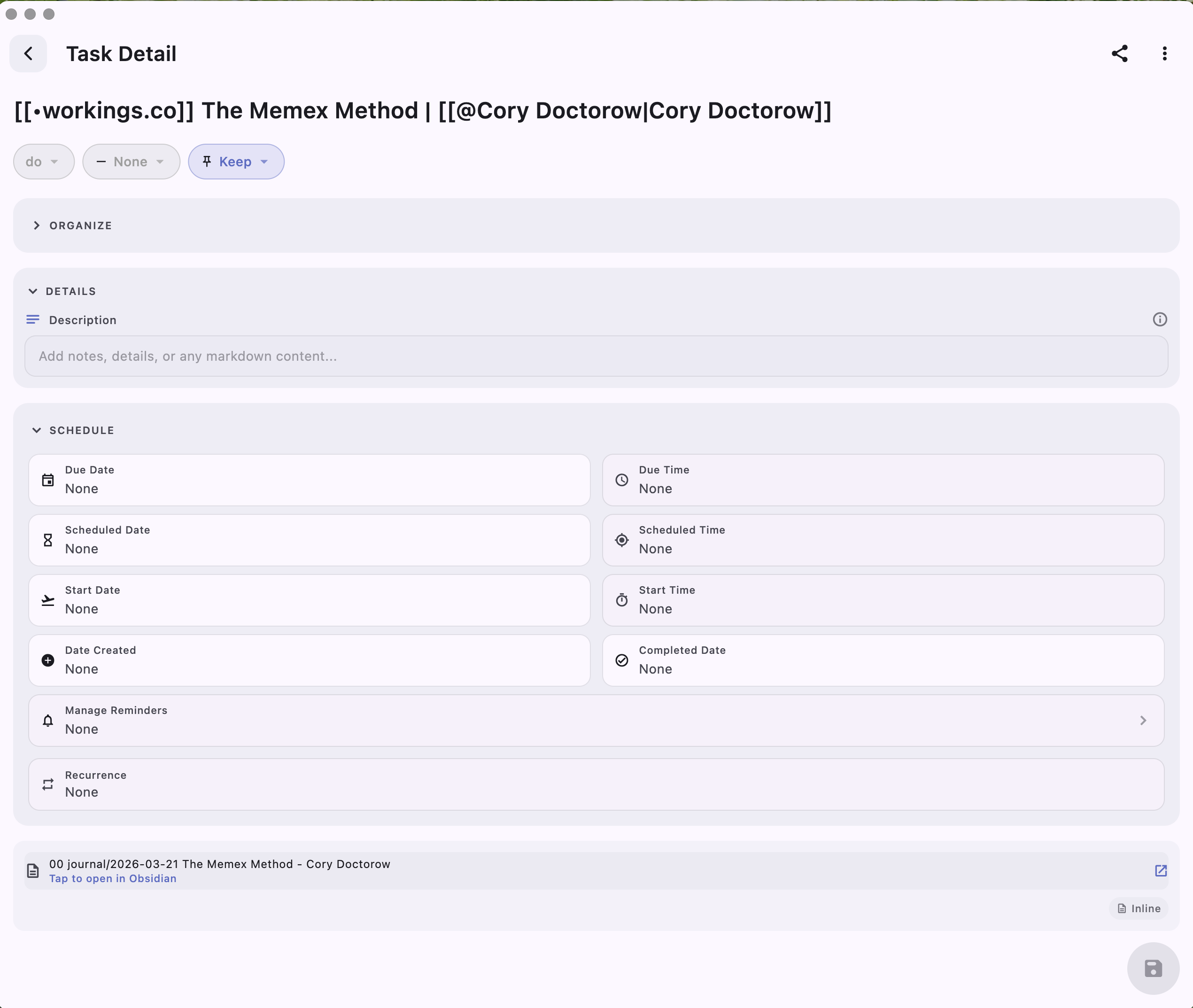
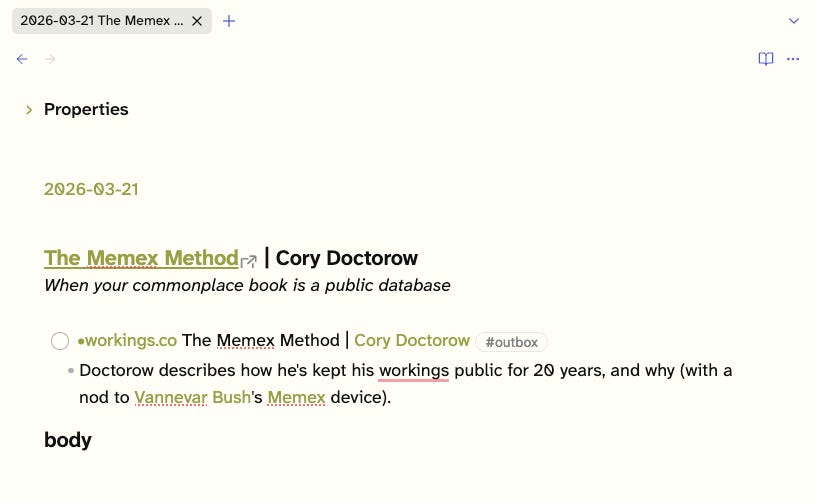
The various fields can be modified or initialized by selecting. Most notably, the description field can be edited to create a summary description, which leads to an indented bullet point, or, if it exists already, it is displayed. I’ve added on in the markdown side, and it is reflected back in TaskForge:
Conclusion
This has become quite long, so I will drop off here.
TaskForge is not a perfect system, but it is closer to my dream task managemeent system for Obsidian than anything I’ve tried before.
I plan to experiment with alternative approaches — instead of filters on one Kanban, why not multiple Kanbans? — so stay tuned. Folio 2026.3 is likely just around the corner.